>> When you’re scaling, it’s the quiet deal-breaker that can burn your timeline and your budget...
The Hidden Traps Behind "Compatible" Components
When a system architect says “everything fits,” what they really mean is: Dimensionally, it fits; but physical fit ≠ functional harmony. Take one of our partner labs in Singapore —they upgraded from a 4U to a 5U GPU chassis, thinking the extra space would mean smoother airflow. Instead, the fans pulled warm air from the PSU chamber right into the GPUs. Result: a 15% performance drop during 48-hour training cycles.
Why It Happens?
Compatibility traps often come from:
· Uneven airflow paths: front-to-back design doesn’t always align with GPU exhaust direction.
· Power distribution mismatch: redundant PSUs may not sync with new board layouts.
· Mounting variations: even small offsets in riser placement can block cable runs.
Think of it like swapping an engine into a car that technically “fits,” but the exhaust routing cooks your brakes. It runs, yes — just not for long.
The "Spec Sheet Mirage" —When Numbers Lie
Many engineers trust the spec sheet too much. On paper, 2U or 4U chassis “support” a certain number of GPUs. But in practice, that number assumes ideal thermals and linear airflow —which rarely exist.
Here’s a quick comparison from our own internal tests between two 4U cases using the same eight-GPU setup:

The OCS4680-X8 ran ~13% cooler and required lower fan speed — not magic, just better thermal zoning and shroud design.
The Chain Reaction —How One Mismatch Affects Everything
A “small” incompatibility scales fast:
· Extra fan speed = higher noise = thermal throttling under load.
· Power inefficiency compounds, especially in dual-socket or multi-GPU builds.
· Cable strain near riser cards increases failure rates over time.
One client running an AI-rendering workload discovered that by simply switching to a case with better front-to-rear partitioning, they cut downtime by 28% over six months.
Designing Compatibility from the Ground Up
At ONECHASSIS, we don’t treat the case as a box — it’s part of the system architecture. When we design something like the OCS2680-H12-H, the engineering team first maps GPU and PSU heat vectors before touching CAD. That’s why you’ll see 10-GPU support in a 2U frame that doesn’t sound like a jet engine.
If you’re evaluating cases for your next cluster, here’s what usually makes or breaks real-world compatibility:
Quick Diagnostic Checklist
· Airflow zoning: Are fans pushing or pulling across GPU intakes?
· Cable routing: Can riser and PSU cables bend without tension?
· Serviceability: Can you swap fans or drives without removing GPUs?
You can find a deeper explanation in our Server Cooling Design Guide —Previous articles.
Real Talk — What Engineers Actually Care About
No one brags about “case compatibility” on LinkedIn, but every engineer knows when it goes wrong. We’ve sat in meetings where the issue wasn’t the GPU or PSU — it was a 1.5mm misalignment that blocked airflow through the midplane.
And yes, we’ve been there too. That’s why our R&D keeps running torture tests, not just spec reviews. We’d rather hear a fan fail in the lab than in your data center.
Wrapping Up — What You Should Do Before Scaling Up
Before your next purchase order:
1. Simulate airflow and PSU load, not just fit.
2. Ask the vendor for real thermal data under full GPU load.
3. Cross-check your rack depth and service clearance.
If you’re unsure where to start, we’re happy to share our compatibility checklist and test logs.

 When AI Becomes A Threat, Infrastructure Becomes the Front Line
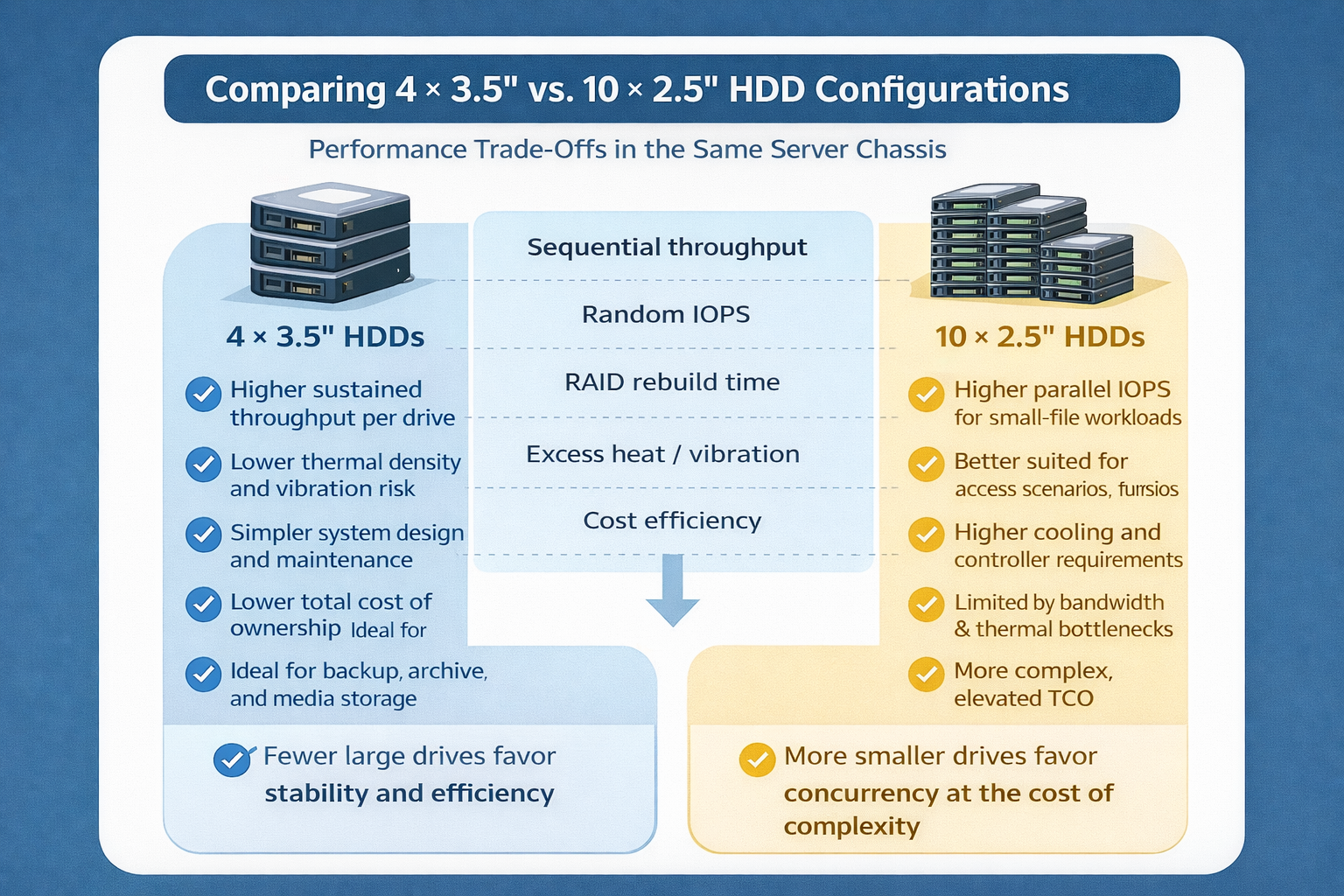 Storage Density Choices in the Same Server Chassis
 Welcoming 2026: Building the Next Year of AI Infrastructure Together
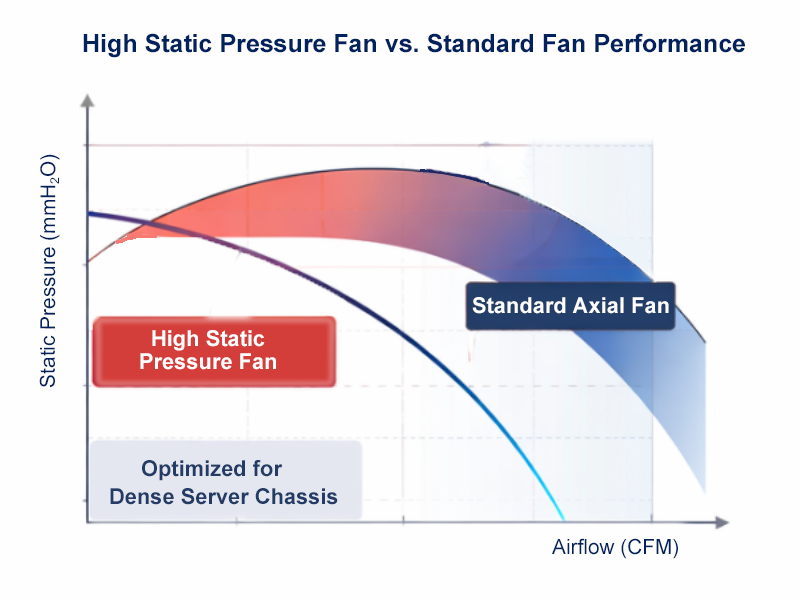 How We Design Thermal Paths: Airflow, Static Pressure & Fan Zones