Storage Density Choices in the Same Server Chassis
4 × 3.5″ HDD vs. 10 × 2.5″ HDD — What’s the Real Difference?
Here we compare 4 × 3.5″ HDDs and 10 × 2.5″ HDDs installed in the same server chassis, under identical system and controller conditions, and explain how to choose the right configuration for real-world workloads.
Sequential Performance: Efficiency vs. Scale
3.5″ HDDs are designed for higher sustained throughput per drive. With fewer disks involved, a 4 × 3.5″ configuration delivers stable and predictable sequential read/write performance, especially for large files such as backups, archives, and media content.
In contrast, a 10 × 2.5″ configuration can theoretically achieve higher aggregate bandwidth by combining more drives. However, in real deployments, this advantage is often limited by SATA/SAS controller bandwidth, PCIe lanes, and backplane design. Once these limits are reached, additional drives no longer translate into proportional performance gains.
Just found fewer large drives often achieve higher real-world efficiency with lower system overhead.

Random I/O and Concurrency: When More Drives Help
Random I/O performance depends heavily on parallelism. By distributing I/O requests across more spindles, 10 × 2.5″ HDDs can deliver higher aggregate IOPS, making them suitable for workloads such as multi-user file servers, logs, or small-file access patterns.
That said, higher concurrency also places greater demands on:
-
RAID or HBA controllers
-
CPU and memory resources
-
Cooling and airflow design
Without sufficient system-level support, the theoretical IOPS advantage of higher drive counts may not be fully realized.
RAID Rebuild Behavior and Operational Risk
RAID rebuild operations are a critical factor in storage system reliability.
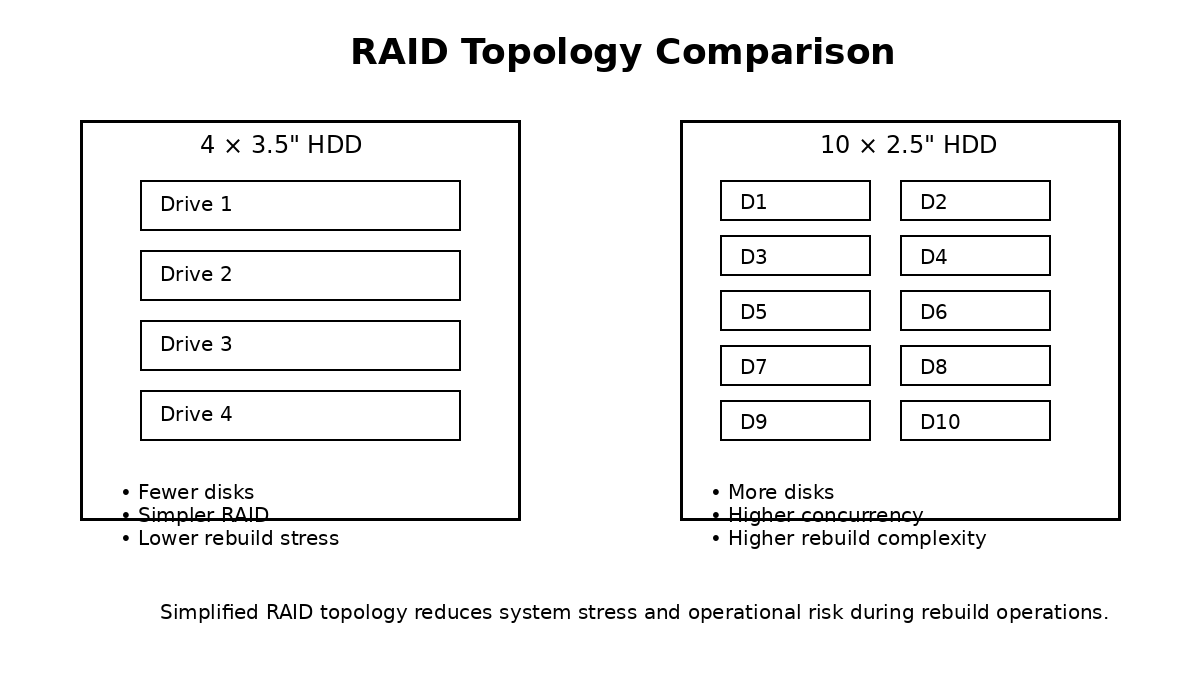
- 4 × 3.5″ HDDs typically involve larger individual drive capacities, which leads to longer rebuild times. However, the simpler topology and lower drive count reduce the number of potential failure points during rebuild.
-
10 × 2.5″ HDDs rebuild faster per drive due to smaller capacities, but the higher total drive count increases system complexity and cumulative failure risk.
In practice, rebuild reliability depends not only on speed, but also on thermal stability and vibration control, especially during prolonged high-load rebuild periods.
Cooling, Airflow, and Vibration Inside the Same Chassis
Within the same server chassis, drive count has a direct impact on airflow resistance and thermal density.
More drives mean:
-
Increased airflow blockage
-
Higher fan speeds and noise
-
Greater vibration coupling between drives
Although 2.5″ HDDs generate less heat individually, a 10-drive configuration can create localized heat buildup if airflow is not carefully engineered. By comparison, 4 × 3.5″ HDDs place less stress on the cooling system, making them better suited for compact or high-density server enclosures.
This is where chassis design matters. OneChassis storage server cases are engineered with front-to-back airflow paths and rigid steel structures, helping maintain stable temperatures and reduce vibration-related risks.
Power Consumption and Total Cost of Ownership
While individual 2.5″ HDDs consume less power than 3.5″ drives, higher drive counts often result in:
-
Higher total system power draw
-
Increased cooling requirements
-
More complex cabling and maintenance
Over time, these factors contribute to higher operational costs. For many storage deployments, 4 × 3.5″ HDDs deliver a lower total cost of ownership (TCO) while maintaining reliable performance.
Choosing the Right Configuration for Your Workload
Choose 4 × 3.5″ HDDs if your workload focuses on: | Choose 10 × 2.5″ HDDs if your workload requires: |
|---|---|
|
|
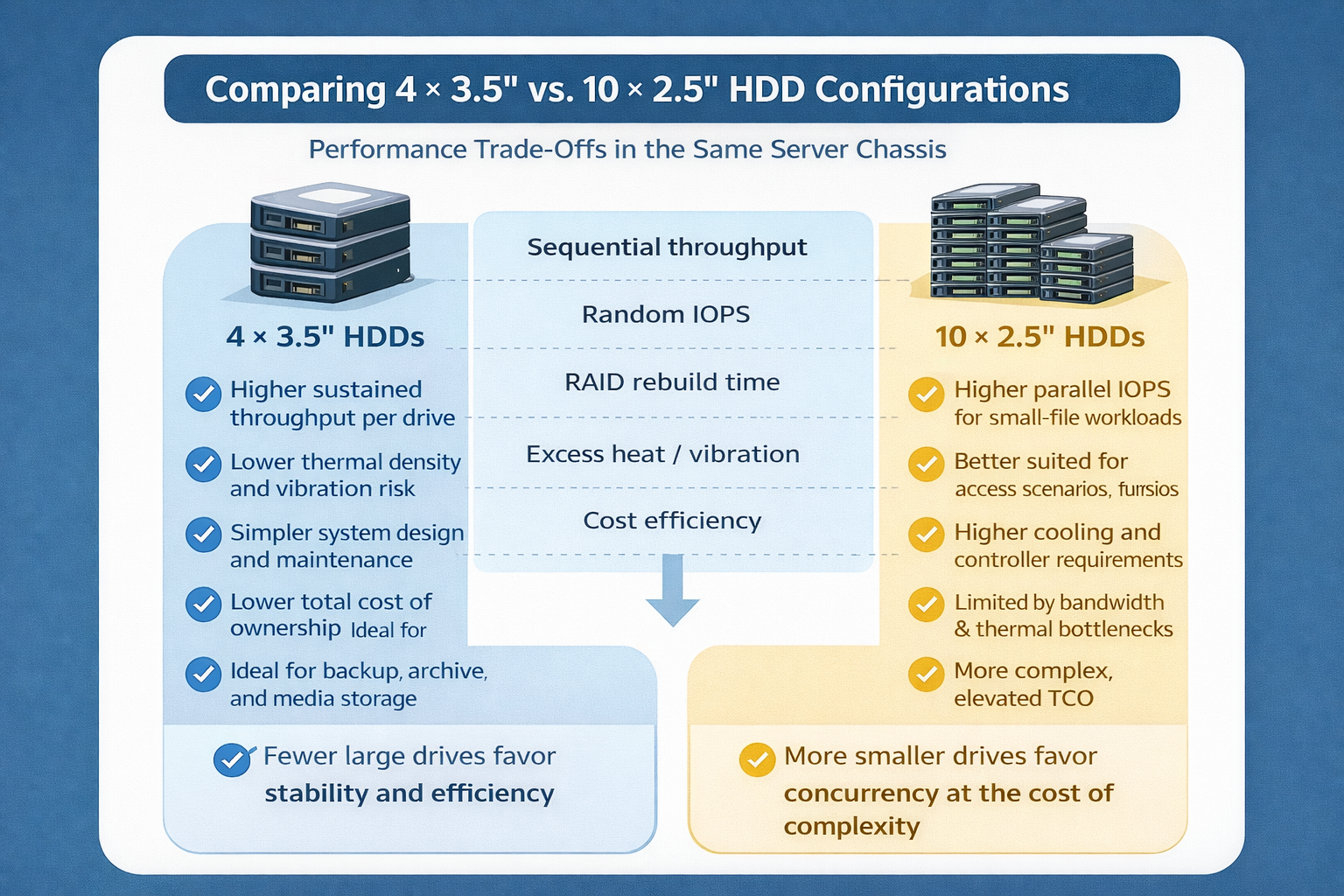
Drive count increases concurrency, not efficiency.
In the same server chassis, fewer 3.5″ HDDs favor stability, thermal efficiency, and lower system complexity, while more 2.5″ HDDs improve IOPS at the cost of higher cooling and infrastructure demands.
Selecting the right drive configuration based on workload characteristics—not raw drive numbers—is essential for building a reliable and cost-effective storage system.
 When AI Becomes A Threat, Infrastructure Becomes the Front Line
 Storage Density Choices in the Same Server Chassis
 Welcoming 2026: Building the Next Year of AI Infrastructure Together
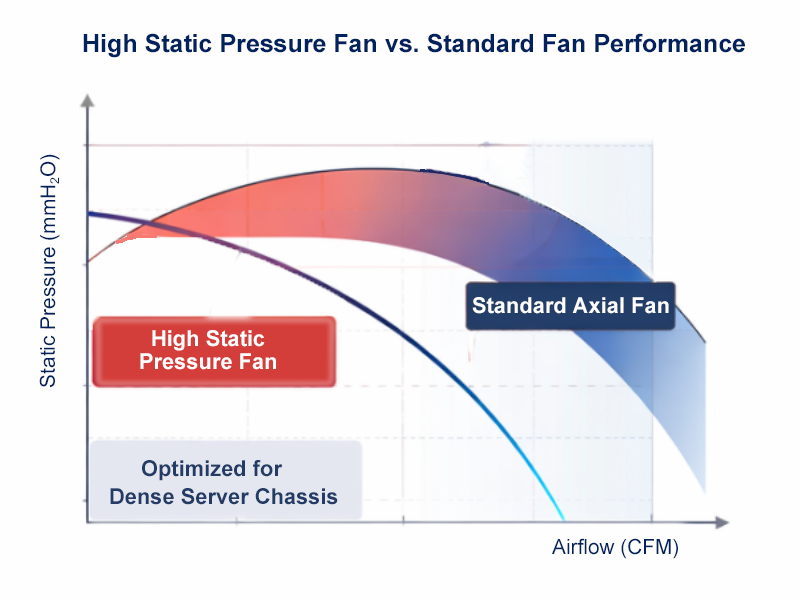 How We Design Thermal Paths: Airflow, Static Pressure & Fan Zones